Introducing Human Standards: an open design library with an MCP server
The problem with AI-generated interfaces
Here's a question I've been wrestling with: if AI is going to help us build interfaces, how do we make sure it builds good ones?
Not just functional. Not just following a prompt. Actually good. The kind that respects how humans perceive, think, and make mistakes.
AI tools are remarkable at generating code. Ask Claude or Cursor to build you a form, and you'll get something that works. Inputs render. Buttons click. Data submits.
But will it validate before the user hits submit? Will it preserve their input when something goes wrong? Will the error messages actually tell them what to fix?
Often not. And it's not because AI hasn't been trained on usability principles—it has. Nielsen's heuristics are all over the internet. The problem is that training data and active context are different things.
When Claude generates a form, it's not systematically consulting usability principles. It's pattern-matching against what it's seen. Sometimes that produces good UX. Sometimes it doesn't. The knowledge exists in the model, but it's not being deliberately applied at build time.
So I built something to change that.
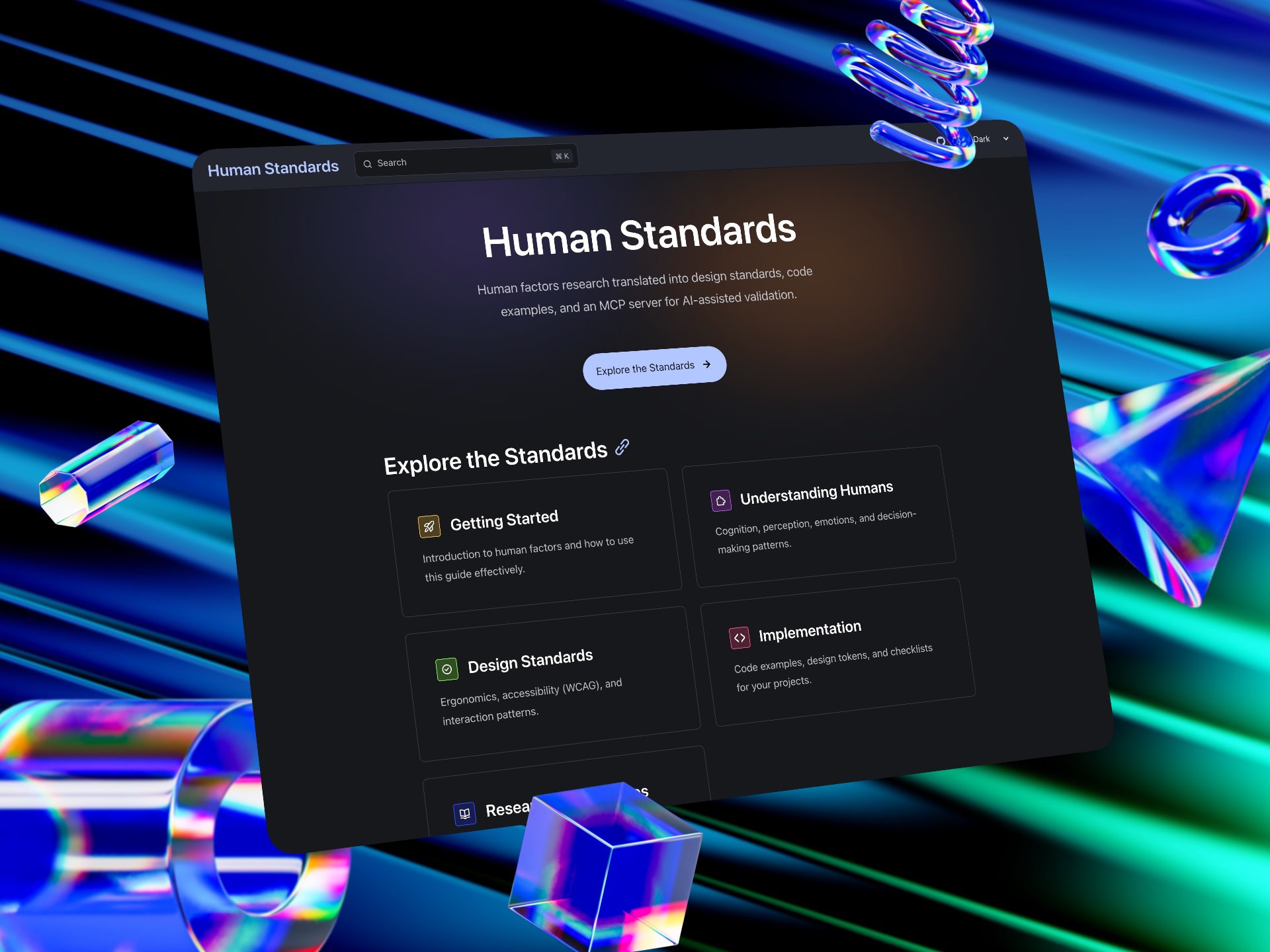
Human Standards: what it is
This week I launched Human Standards.
Human Standards is an open reference that translates decades of human factors research into practical design guidance. It covers cognition (how people think), perception (how they see, hear, and touch), decision-making (how they choose and err), and implementation (code examples, design tokens, checklists).
Every recommendation is grounded in research. Not "best practices" that someone decided were best; actual studies, actual data. TurboTax reduced form completion time by 30% using progressive disclosure. Gmail's undo-send feature cut accidental email anxiety by 38%. BBC achieved 98% keyboard navigation success rates.
The site is structured so you can go deep on topics like cognitive load, error prevention, or WCAG compliance. Or you can grab a checklist and run.
But here's the part I'm most excited about.
The MCP server: AI that can look things up
Human Standards includes an MCP (Model Context Protocol) server that gives Claude real-time access to usability heuristics and the full documentation.
Think of it this way: the MCP is the reference book; the AI is the practitioner flipping it open mid-project.
When you ask Claude to build a registration form, it now has access to three tools:
get_heuristic— deep dive on a specific Nielsen heuristic (H1-H10)get_all_heuristics— quick summary of all 10search_standards— search the full Human Standards documentation
So when Claude builds your form, it can check which principles apply. Error prevention? That's H5—use confirmation for destructive actions, validate before submission. Error recovery? That's H9—preserve user input, show specific and actionable messages.
It's not hoping the right patterns surface from training. It's deliberately consulting a reference at the moment it matters—the way a designer would flip open a book mid-project.
The philosophy behind this
I've spent the past year thinking about how AI changes design work. My conclusion: AI has commoditised execution but amplified the value of judgment.
Anyone can generate a wireframe now. Anyone can get working code in seconds. The hard part isn't making something—it's knowing what's worth making, and whether it actually works for humans.
Human Standards encodes that judgment. Not as rules that AI blindly follows, but as principles it can query when relevant. The AI still decides when to look something up. It still synthesises the guidance with the specific context of your project.
That's the equilibrium I've been writing about. AI doing more of the execution. Humans (and human knowledge) shaping what gets executed.
Why I built this
Honestly? Because I kept seeing the same problems.
AI-generated interfaces with no loading states. Forms that fail silently. Navigation that assumes users memorise your information architecture. The patterns are predictable because they're all missing the same thing: grounding in how humans actually work.
I wanted a resource that designers could use to learn and contribute, and that AI could use to build (and perhaps contribute one day?). Same knowledge, two audiences.
The site is open source. The MCP server is free to use. I'll keep adding to both.
Try it
If you're using Claude Desktop or Claude Code, you can add the MCP server in a few minutes:
git clone https://github.com/aklodhi98/humanstandards.git
cd humanstandards/human-standards-mcp
npm install && npm run build && npm run index-docs
Then add it to your Claude config and restart. Full instructions are on the MCP Server page.
Or just browse the standards at humanstandards.org. Whether you're building interfaces yourself or delegating to AI, the principles are the same.
What's next
Digital interfaces are just the start.
The underlying principles—cognitive load, feedback loops, accessibility—apply across all human-technology interaction. But implementation changes depending on the medium.
Future phases include voice and conversational UI, VR/AR, robotics, IoT, wearables, and automotive HMI. Each domain needs its own documentation, examples, and MCP validation rules.
That's a lot of work. Which brings me to...
How to contribute
Human Standards is open source under CC BY-NC-SA 4.0 (content) and MIT (code).
You can help by:
- Fixing typos and errors (low effort, high impact)
- Adding citations to strengthen claims
- Writing new pages for uncovered topics
- Improving the MCP server
- Building validation tools
The contribution guide covers style guidelines, evidence standards, and the review process.
If you have domain expertise in voice interfaces, VR/AR, robotics, or any of the roadmap areas, I'd particularly love your help.
Because good design shouldn't depend on what AI remembers from training data. Give it a library to consult, and it gets it right the first time.
What do you think? Have you tried integrating external design knowledge into AI workflows? I'd love to hear what's working. Find me on LinkedIn.
Hey, quick thought.
If this resonated, I write about this stuff every week — design, AI, and the messy bits in between. No corporate fluff, just what I'm actually thinking about.
Plus, you'll get my free PDF on Design × AI trends